A study is the preparation of a match put in one place: analysis views, notes, block calls and video clips about the opponent.
What you see
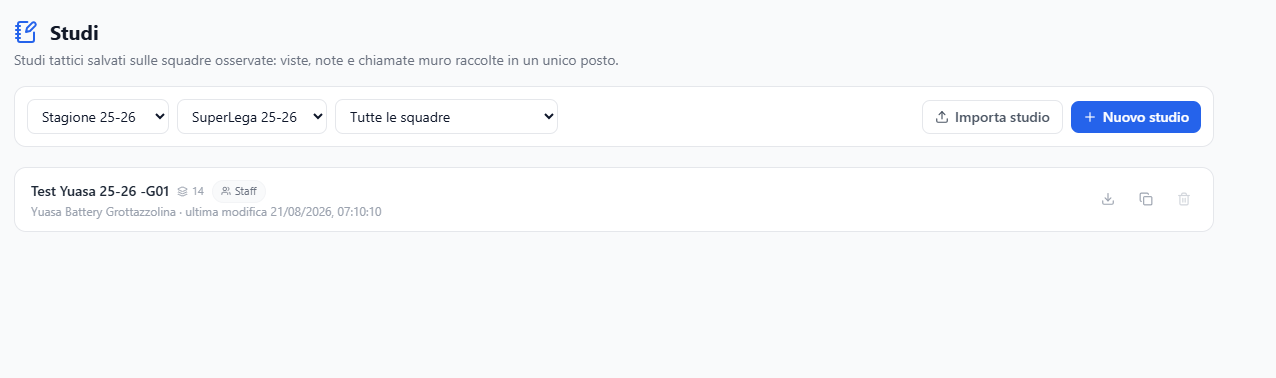
The list of studies, and inside each one the items collected: every item is a saved view (a distribution, an attack fan, a table) with its note. Then the video report tab — the clips, split into sections — and the printable report one.
Every study has a visibility: private, or shared with the staff in read only.

What you can do
- Create a study about a team you are scouting.
- Add items from the analysis pages: every view can be saved into the study with a note.
- Collect clips from the video room, inside sections that become the chapters of the session.
- Share with the staff in read only, or keep it private.
- Export the study to a file, and import one received from another club or another installation.
Good to know
- An item carries its own recipe, not just the picture: if the data is there, it is recalculated; if it is not — in a study imported from outside, for instance — it stays readable as a snapshot, and the application says so.
- Imported studies declare where they come from, and when the file is signed by the originating installation the signature is verified.
- A shared study can be modified only by whoever created it: the others see it and can duplicate it.
- If a colleague does not see every item, it is down to permissions: the views they are not allowed remain hidden.