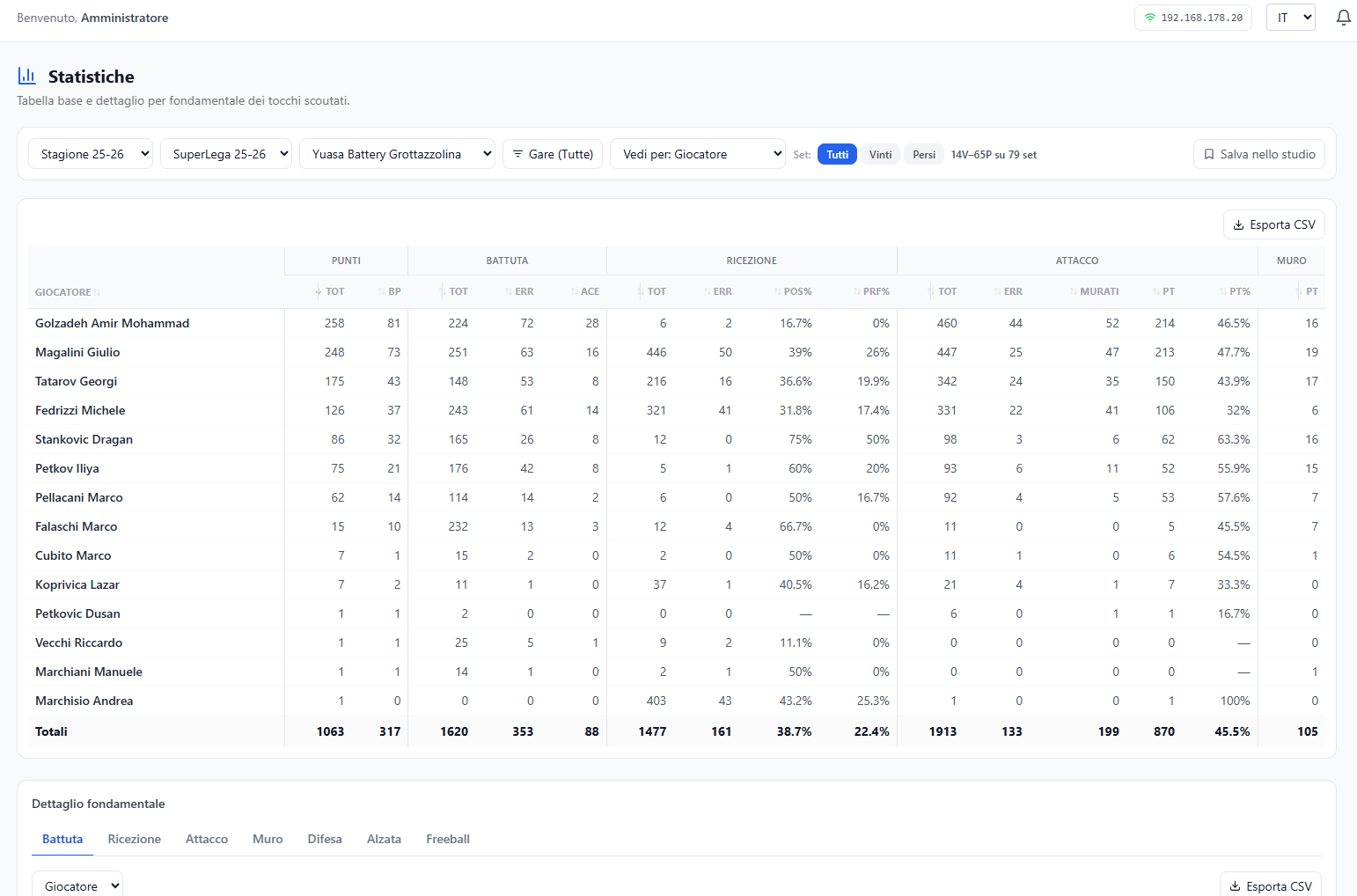
The base table of scouting: by team and by player, how many serves, receptions, attacks and blocks, and how they went.
What you see
One table per skill, with the columns the club has chosen: total, point, error, blocked, positivity, perfection. Below, the skill detail of the selected one.
In the detail the Pos% column is coloured against the threshold of that skill's «Pos%» KPI: green above, red below, black in line. Hovering over the header shows which threshold it uses.
What you can do
- Filter by team and by match.
- Open the detail of a skill.
- Go from the number to the video: a cell opens the video room with the touches that make up that number.
Good to know
- The percentages are not universal: which evaluations count towards «positivity» or «perfection» is decided by the club, in Configuration → Scout → Skill percentages. Two clubs can read the same file and get two different numbers — and that is on purpose.
- The numbers refer to the filtered scope: change the filters and they change, with no warning.
- The list of teams comes from the matches, not from the entries. What appears here is whoever played in that championship, even if they are not entered in the records — a pre-season friendly opponent, for example. That is deliberate: if a team has data, that data must be readable. Who is entered and who is not is told by Championships.
- With no threshold the Pos% column stays grey: the threshold is set on the «Pos% …» KPI in Configuration → Scout → KPIs.
- Colours follow the championship: the Pos% of every skill and the attack Eff in the detail, the reception Pos% and the attack Pt% in the team table are coloured against the KPI with the same formula. If the championship has its own references those apply, and a line above the table says so; hovering the number tells you against which KPI and value it is coloured.