What you throw away in the speed module does not disappear at once: it ends up here, where it can be put back. It is really removed only when you empty the bin.
What you see
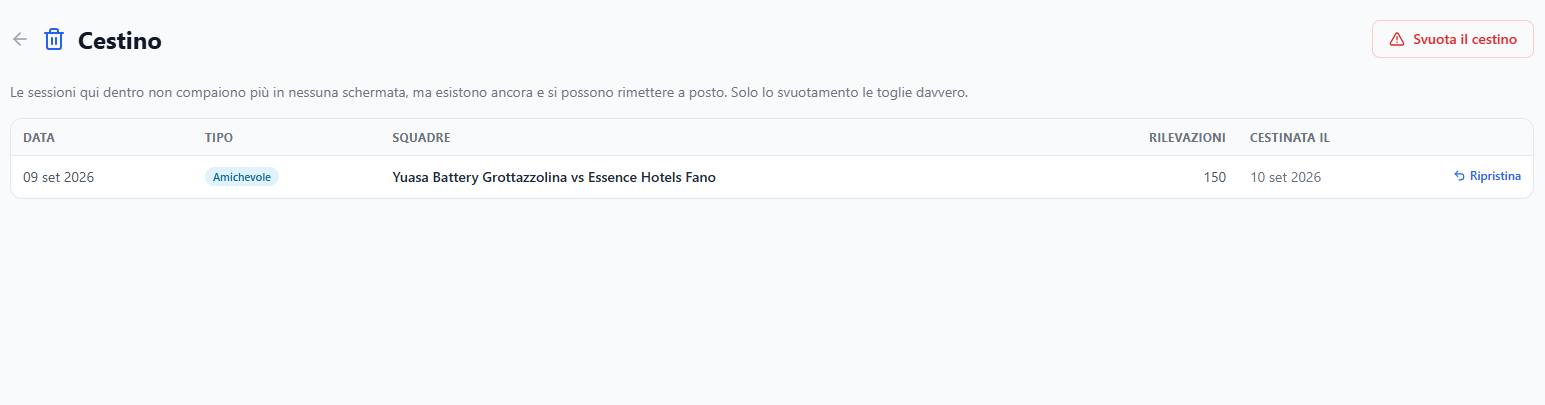
The sessions in the bin, each with team, date, type, number of serves and the day it was binned. A line at the top reminds you that these sessions still exist, but do not appear on any screen.
What you can do
- Restore a session with «Restore»: it comes back with its serves, as before.
- Empty the bin with «Empty the bin», if you have the permission: a confirmation says how many sessions and how many serves you are about to delete, and «Delete permanently» does it.
- Go back to the sessions.
Good to know
- Single serves binned inside a session that is still active are not here: you get them back from the «Serves in the bin» panel, on the session page.
- Restoring a session brings back only the serves thrown away together with it. A serve that was already in the bin before stays in the bin.
- Emptying is forever, and it concerns only what is in the bin. You need the permission «Empty the serve speed bin (permanent deletion)»: from the start the administrator and scoutman have it, and it is assigned from the Roles page.
- Every binning, restore and emptying stays written in the Activity log, with who did it.