The Serve speed module measures serves in training and in matches: every training, friendly or match is a session, and inside it the measurements are recorded player by player.
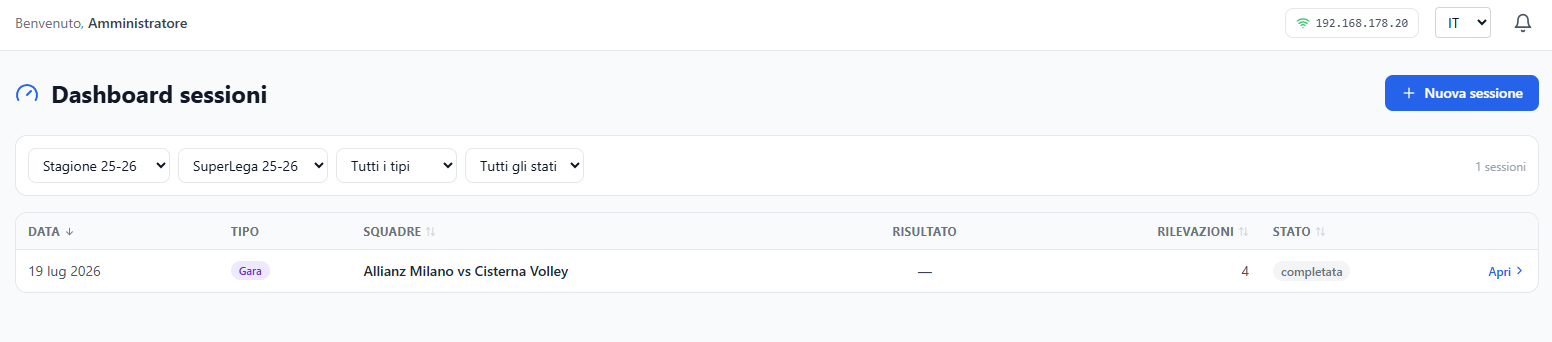
What you see
The list of sessions, with the ones in progress highlighted, the team, the date and how many measurements each one holds. At the top, the link to the Bin.
What you can do
- Create a new session: team, date, and the roster call — clearing whoever is absent. The choice applies to that session only, the team roster does not change.
- Open a session to record the serves.
- Start it and close it from the session page.
- Move a session to the bin: it disappears from every screen and from the statistics, together with its serves, but it can be restored.
- Open the Bin to restore what has been thrown away.
Good to know
- A closed session can still be read, but accepts no new measurements.
- The called-up players are those of the roster of the session's season: a team with rosters in two seasons does not mix them. In a friendly the opponent is chosen among that season's teams, including the guests loaded without enrolling them in the championship.
- The bin does not delete: permanent deletion is a separate step, from the Bin page, and only for those who have the permission (see Serve speed bin).
- Sessions are comfortably recorded from a tablet: the device is paired with a single-use QR code (see Devices).